
Serial Debugging :(
Well, that was terrible. I immediately regret feeling so confident in the last post. I ended up spending like 3 hours on something that should have been really simple.
I was looking for a tutorial on how to read debug/print statements through the USB cable, since I don’t have any other way to read output on the device. I remembered this video by a Youtube channel called STM32World.
He is clearly very experienced in the field, so I was excited to follow through with his videos. Unfortunately, he isn’t using an STM32 Nucleo board. Instead he’s using a blackpill board.
Because of that, many of the pins etc. are different between his board and mine.
I figured out pretty quickly that I needed to use a different USART interface to get serial output on my USB port, by checking the documentation for my board:
6.9 USART communication
The USART3 interface available on PD8 and PD9 of the STM32 can be connected either to
ST-LINK or to ST morpho connector. The choice is changed by setting the related solder
bridges. By default the USART3 communication is enabled between the target STM32 and
both the ST-LINK and the ST morpho connector.
So whereas he was using USART2 in the tutorial, I needed to use USART3. However, even after setting up PuTTY on my machine and listening to the correct COM port on my machine, I still couldn’t see anything. I spent hours fiddling with the code and the baud rate etc.
Eventually, I turned to AI. DeepSeek took a look at my code and my setup and suggested a few common troubleshooting steps. Eventually, I realized that somehow the pins for the USART3 interface were not configured automatically on my board through STM32CubeMX.
I toggled the USART3 port off and on a few times, and eventually it included the correct configuration for the pins.
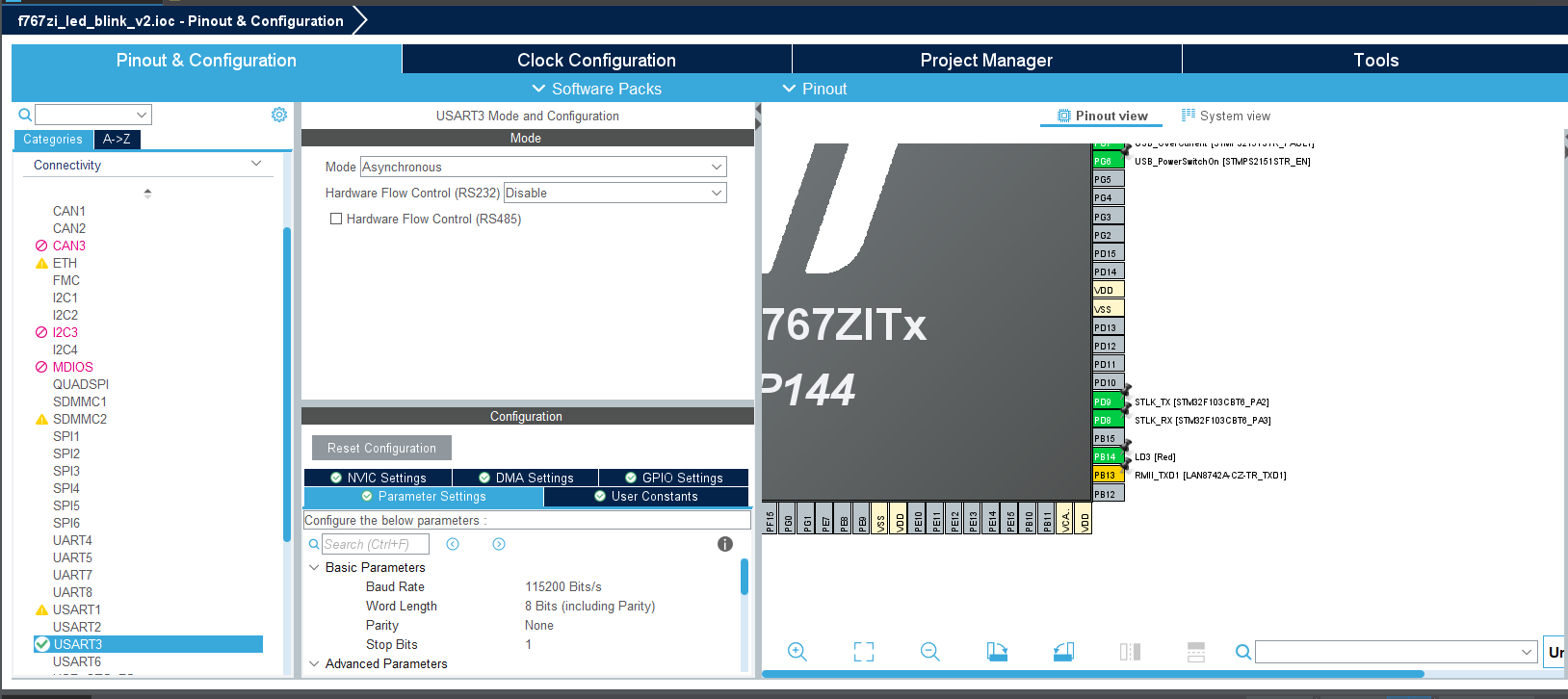
Once the pins were configured, I was able to get some output on my serial monitor!
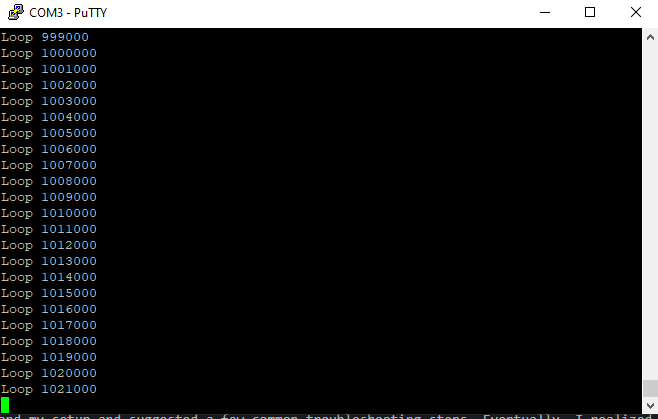
There was one other issue, in that I needed to use \r\t for my endline string, instead of simply \t like he was using. However the code seems really robust now!
I can call printf anywhere, and actually see the output. This will be really useful for quick debugging in the future!
The heart of his code turned out to be:
int _write(int fd, char* ptr, int len){
    HAL_StatusTypeDef hstatus;

    if (fd==1 || fd == 2) {
        hstatus = HAL_UART_Transmit(&huart3, (uint8_t *) ptr, len, HAL_MAX_DELAY);
        if (hstatus == HAL_OK)
            return len;
        else
            return -1;
    }
    return -1;
}
Then we basically call printf as normal.