
Finally Stable!
Intro
Okay it’s been a tough couple of weeks. The SD card seemed to be working sometimes, but then at other times it would just fail to mount.
I’ll be honest, I didn’t (and still don’t) understand all the code required for the SD card driver. I believe we first initialize the SPI device (the SD card in this case), to ensure that the uC can communicate with the SD card. Then we layer a filesystem on top of that, which allows us to read and write files. In this case the filesystem driver is FatFS.
However, I’m not sure how we figure out the exact commands to send to the SD card to read and write data during the SPI initialization process. It seemed really tough to read through the SD card spec to figure out the exact sequence, so I used LLMs to help me create the driver.
Issues
Sometimes, the card would be mounted successfully and I could read/write files. Other times, it would fail to mount with an error code of 0xFF, which made it seem that the SD card was not responding at all. I tried a few different SD cards and boards, but the issue persisted. I thought it was related to the wiring being bad, so I fiddled with that a lot as well, but that didn’t help either. Additionally, even when the card was mounted successfully, it stopped creating new log files for the data. The filesystem reported that the files were being created and appended to, but when I looked at the card on my computer, the files were not there.
Solution
After a lot of troubleshooting, ChatGPT was able to pinpoint an error in my SPI initialization code. I believe that the error was that my CS was stuck high. With the new sequence of commands, the SD card mounted successfully every time. Additionally, I realized that we were not closing the files after writing the header information. Adding an immediate close after writing the header ensured that the data was flushed to the card and the files were visible on my computer.
Conclusion
Now that the SD card is working, I have deployed the project! See some images below:
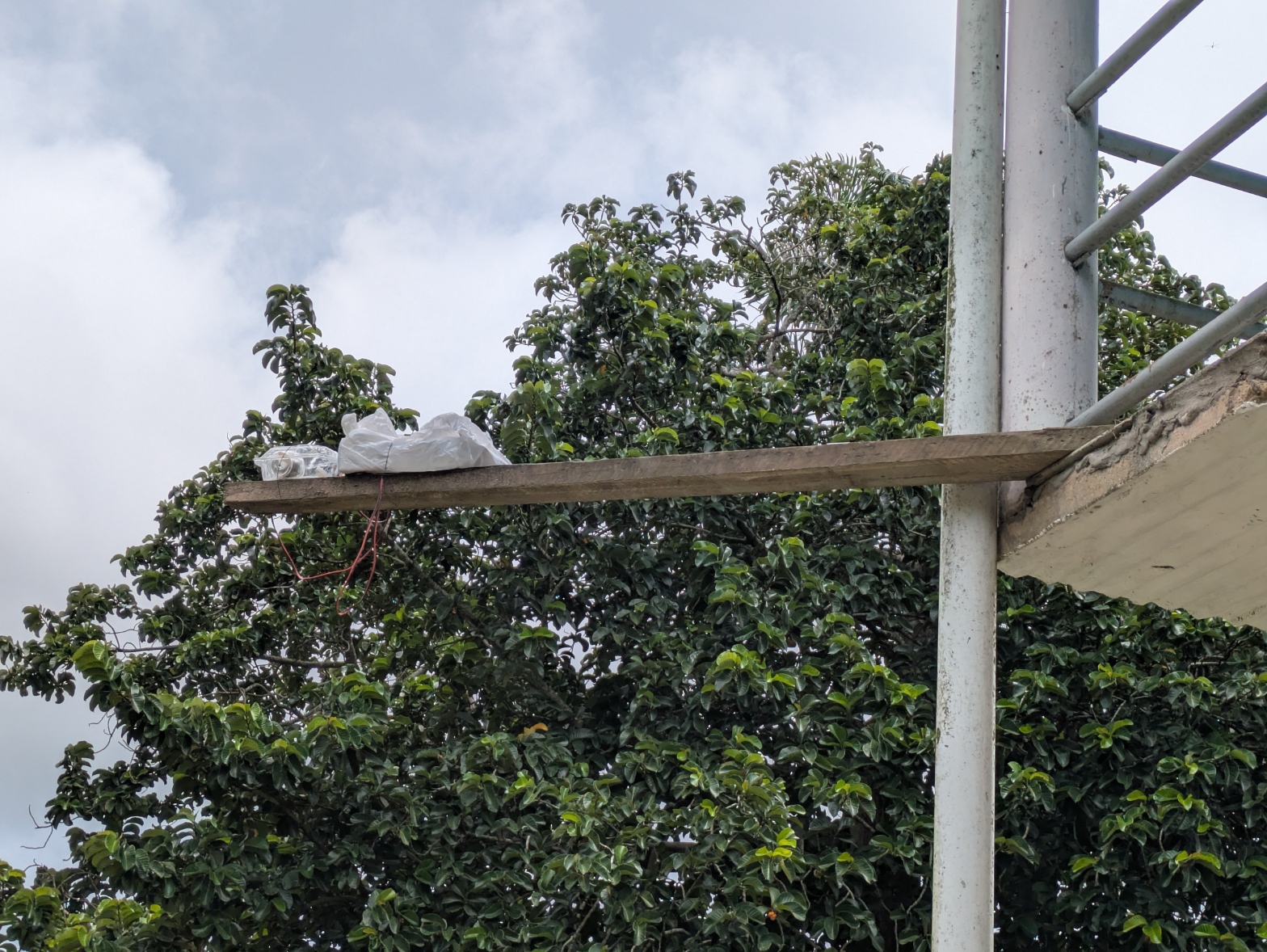
This is a picture of the entire setup on a plank of wood outside my first floor patio. I needed to capture raindrops, so the sensor needed to be out from under the roof.
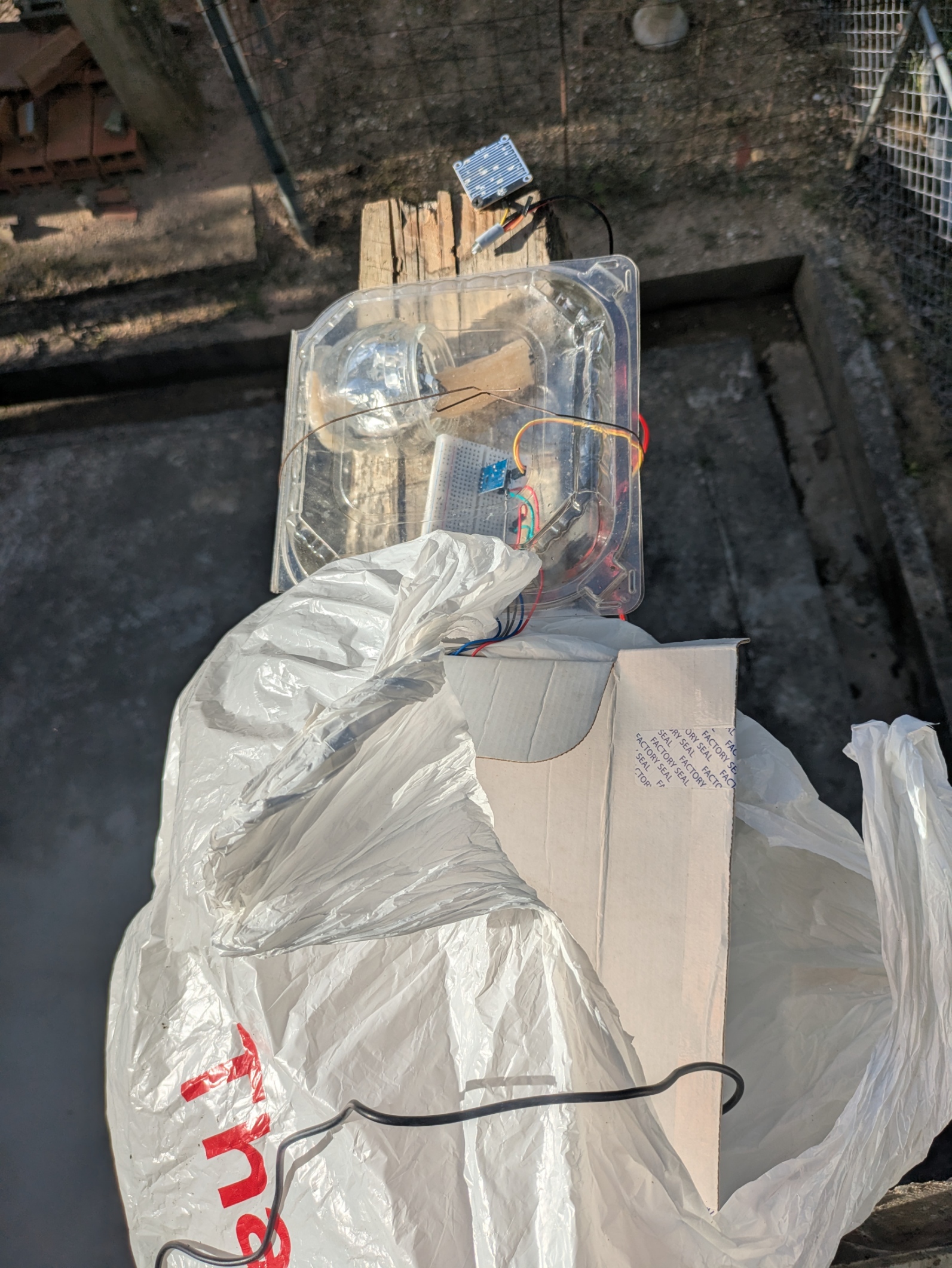
The picture shows the two containers that I used. The clear container is used to allow the light sensor to read outdoor lighting accurately. The box is used for the main board. The box is wrapped in a plastic bag to protect the electronics.
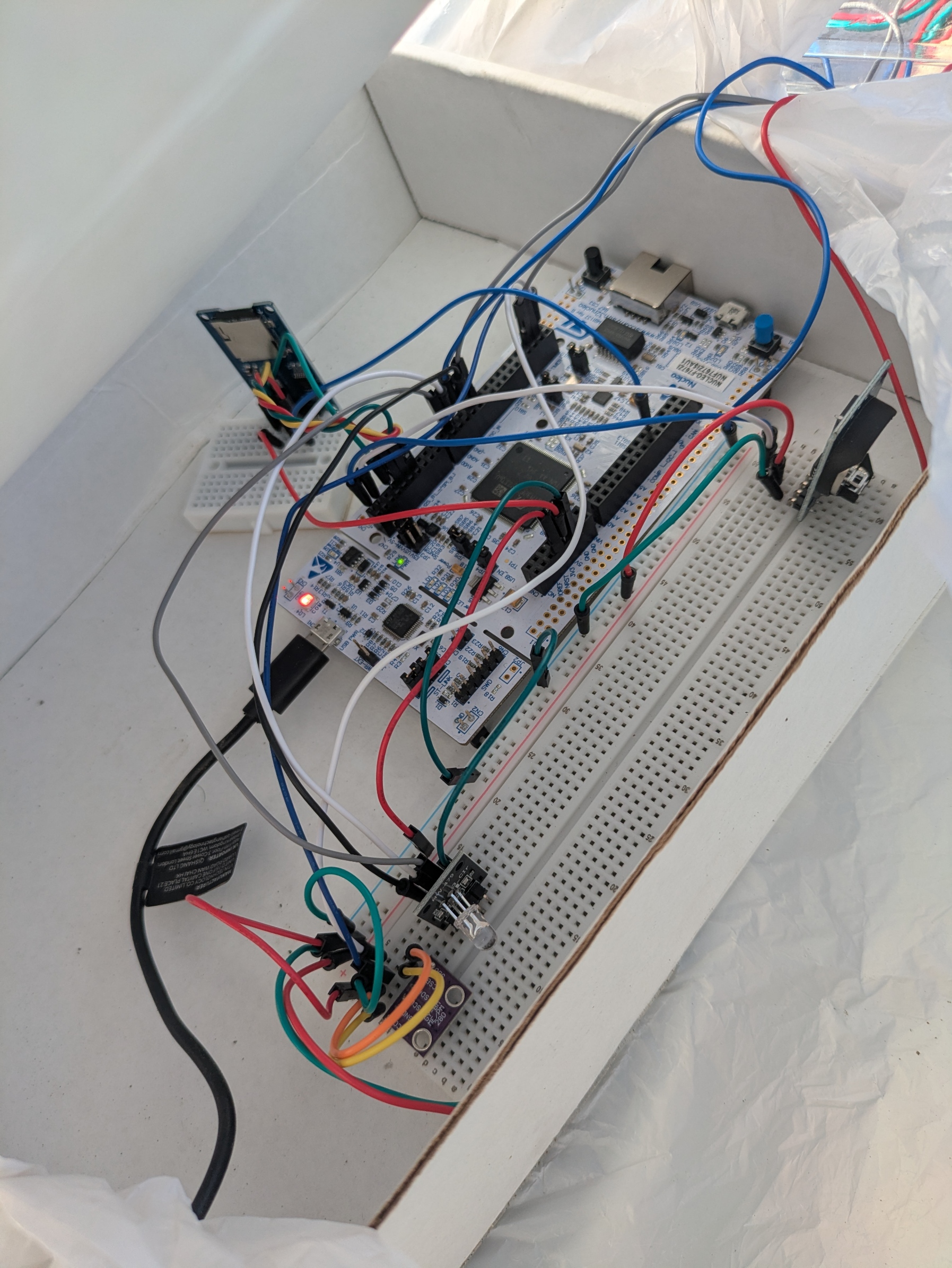
This pic shows the inside of the box. I regret that I spaced out the sensors so much. I should have put everything on a single breadboard next to the main board and put everything inside the clear container. This way, I could flash the external RGB led any colour I wanted, and I would be able to know that the system was working. However, I didn’t want to completely rearchitect the system, because the main point was data collection, and this was a very temporary system.
Additional Note (GCC on Windows)
I also wanted to add another useful note that I don’t think I mentioned before. I had a ton of issues using GCC on windows with my initial MINGW installation. However, I’ve now switched to Winlibs GCC (https://winlibs.com/#download-release), and now I can run GCC on any terminal on my laptop easily.