
Buttons and Interrupts!
The last post ended up being really long, so I’ll make this one much quicker 😀
The first thing I wanted to do was to accept an input from the BOOT button. I found out that the button was connected to GPIO 9, and was pulled low when pressed (active low).
I therefore configured an internal pull-up resister, and then set up an interrupt on the GPIO pin. Since the button was active low, I set the interrupt to trigger on a falling edge.
I thought it would have been simple to just stop here and printf or something from the ISR, but I ran into a ton of errors with that. It turned out that I needed to create another semaphore for the button, and signal it from the ISR. I also needed to debounce the button, so I added a delay after the semaphore is given. Without the debounce, I got many button presses.
This is what the code looked like:
SemaphoreHandle_t button_semaphore;
....
void IRAM_ATTR gpio_isr_handler(void *arg)
{
    BaseType_t xHigherPriorityTaskWoken = pdFALSE;

    // Signal the task
    xSemaphoreGiveFromISR(button_semaphore, &xHigherPriorityTaskWoken);

    // Perform a context switch if needed
    portYIELD_FROM_ISR(xHigherPriorityTaskWoken);
}

void button_task(void *pvParameter)
{
    while (1)
    {
        if (xSemaphoreTake(button_semaphore, portMAX_DELAY))
        {
            // Debounce
            vTaskDelay(pdMS_TO_TICKS(150));

            // Only accept input if still low (confirmed press)
            if (gpio_get_level(GPIO_NUM_9) == 0)
            {
                ESP_LOGI(TAG, "Button pressed");
            }
        }
    }
}

void set_up_button()
{
    button_semaphore = xSemaphoreCreateBinary();
    if (button_semaphore == NULL)
    {
        ESP_LOGE(TAG, "Failed to create semaphore for button.");
        return;
    }

    xTaskCreate(button_task, "button_task", 2048, NULL, 6, NULL);
    gpio_config_t io_conf = {
        .pin_bit_mask = (1ULL << GPIO_NUM_9),
        .mode = GPIO_MODE_INPUT,
        .pull_up_en = GPIO_PULLUP_ENABLE,
        .pull_down_en = GPIO_PULLDOWN_DISABLE,
        .intr_type = GPIO_INTR_NEGEDGE};
    gpio_config(&io_conf);
    gpio_install_isr_service(0);
    gpio_isr_handler_add(GPIO_NUM_9, gpio_isr_handler, NULL);
    gpio_intr_enable(GPIO_NUM_9);
    ESP_LOGI(TAG, "Button configured for interrupt!");
}

void app_main(void)
{
    ....
    set_up_button();
    ....
}
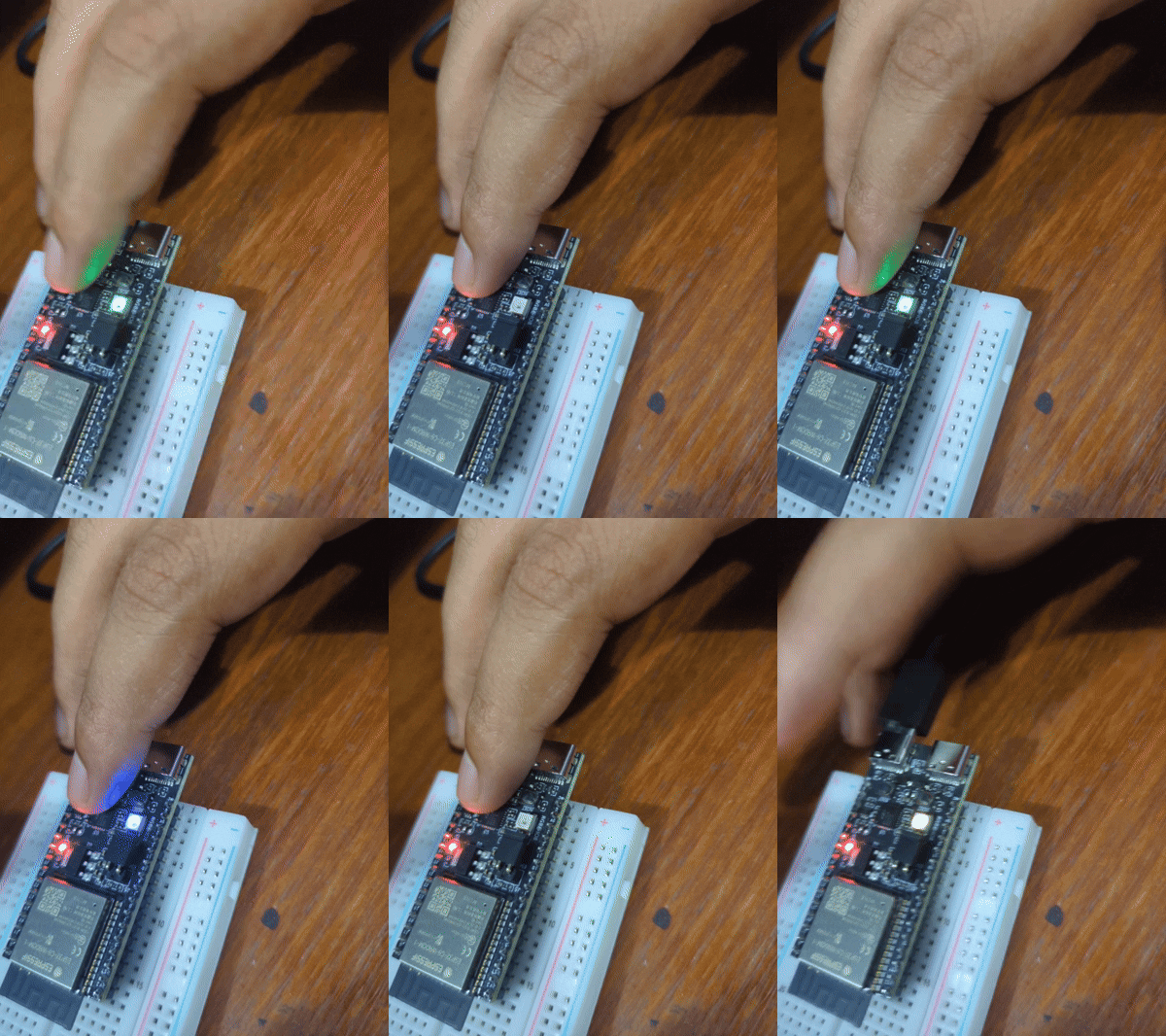
Once I got this working and I saw the serial output for the button presses, I thought up something cool to do with the button. I set up a struct and an array, and used an index to increment the array. I then blinked the LED a colour, depending on the value of the index. The code was as follows:
typedef struct
{
    uint8_t index;
    char name[32];
    uint8_t red;
    uint8_t green;
    uint8_t blue;
} LEDColour;

static LEDColour led_colours[] = {
    {0, "red", 5, 0, 0},
    {1, "green", 0, 5, 0},
    {2, "blue", 0, 0, 5},
    {3, "yellow", 5, 5, 0},
    {4, "magenta", 5, 0, 5},
    {5, "cyan", 0, 5, 5},
    {6, "white", 5, 5, 5},
};

uint8_t led_colour_index = 0;
....
void blink_led()
{
    ....
    if (s_led_state)
    {
        /* Set the LED pixel using RGB from 0 (0%) to 255 (100%) for each color */
        led_strip_set_pixel(led_strip, 0, led_colours[led_colour_index].red, led_colours[led_colour_index].green, led_colours[led_colour_index].blue);
        /* Refresh the strip to send data */
        led_strip_refresh(led_strip);
    }
    else
    ....
}

void button_task(void *pvParameter)
{
    while (1)
    {
        if (xSemaphoreTake(button_semaphore, portMAX_DELAY))
        {
            // Debounce
            vTaskDelay(pdMS_TO_TICKS(150));

            // Only accept input if still low (confirmed press)
            if (gpio_get_level(GPIO_NUM_9) == 0)
            {
                ESP_LOGI(TAG, "Button pressed");
                xSemaphoreTake(led_semaphore, portMAX_DELAY);
                led_colour_index = (led_colour_index + 1) % 7;
                ESP_LOGI(TAG, "Changing colour to: %s", led_colours[led_colour_index].name);
                xSemaphoreGive(led_semaphore);
            }
        }
    }
}
And this was the result!
I’m really starting to feel like an embedded engineer now. Before I get into anything more advanced, I want to learn unit testing with the ESP IDF.