
My First Foray Into STM32 N6 Development
Intro
I spent most of the past week learning the basics of how my new STM32 Nucleo board (the N657X0-Q) works. It’s really different than my old STM32 F767.
For starters, the CubeMX interface is much different.
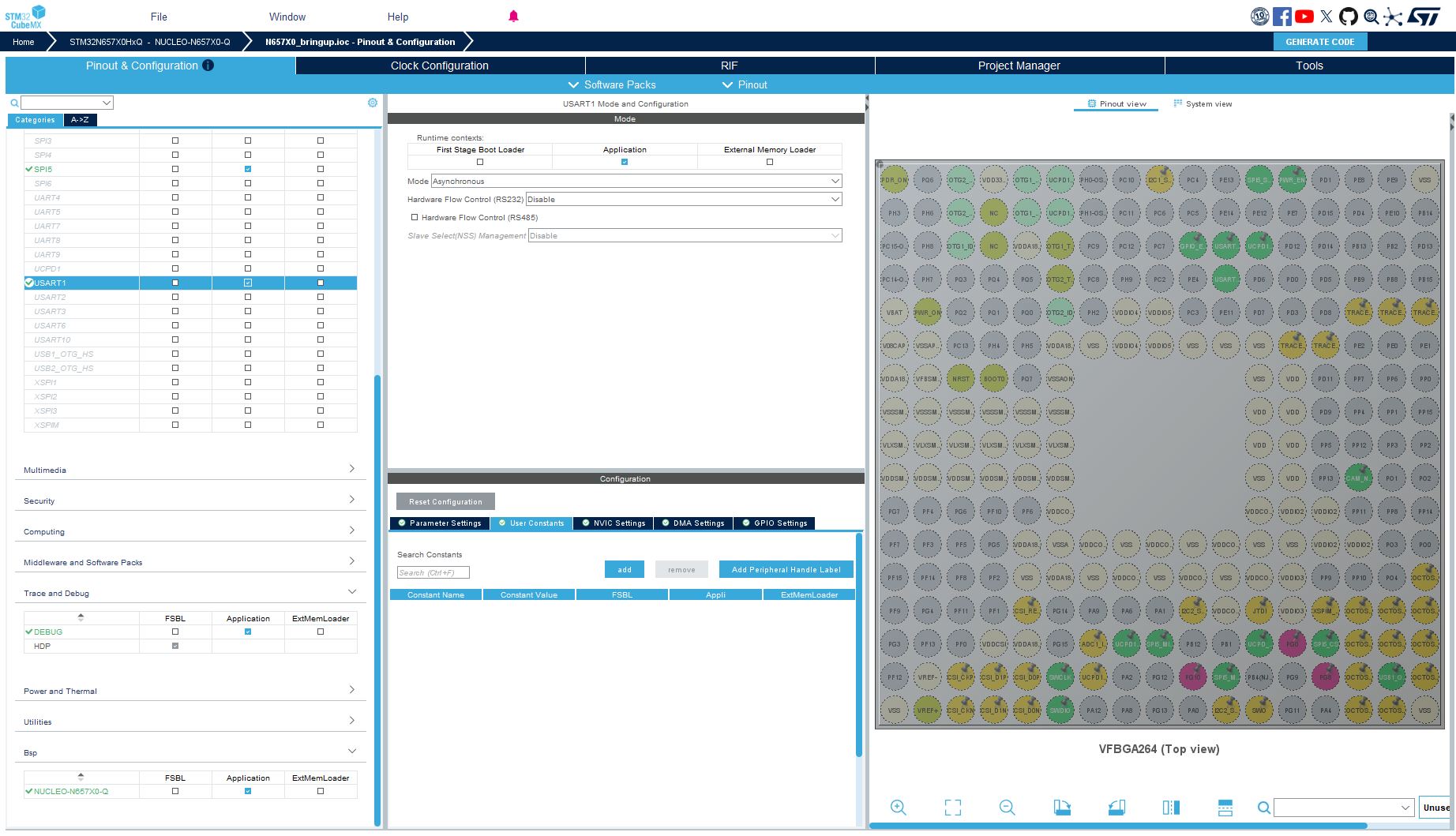
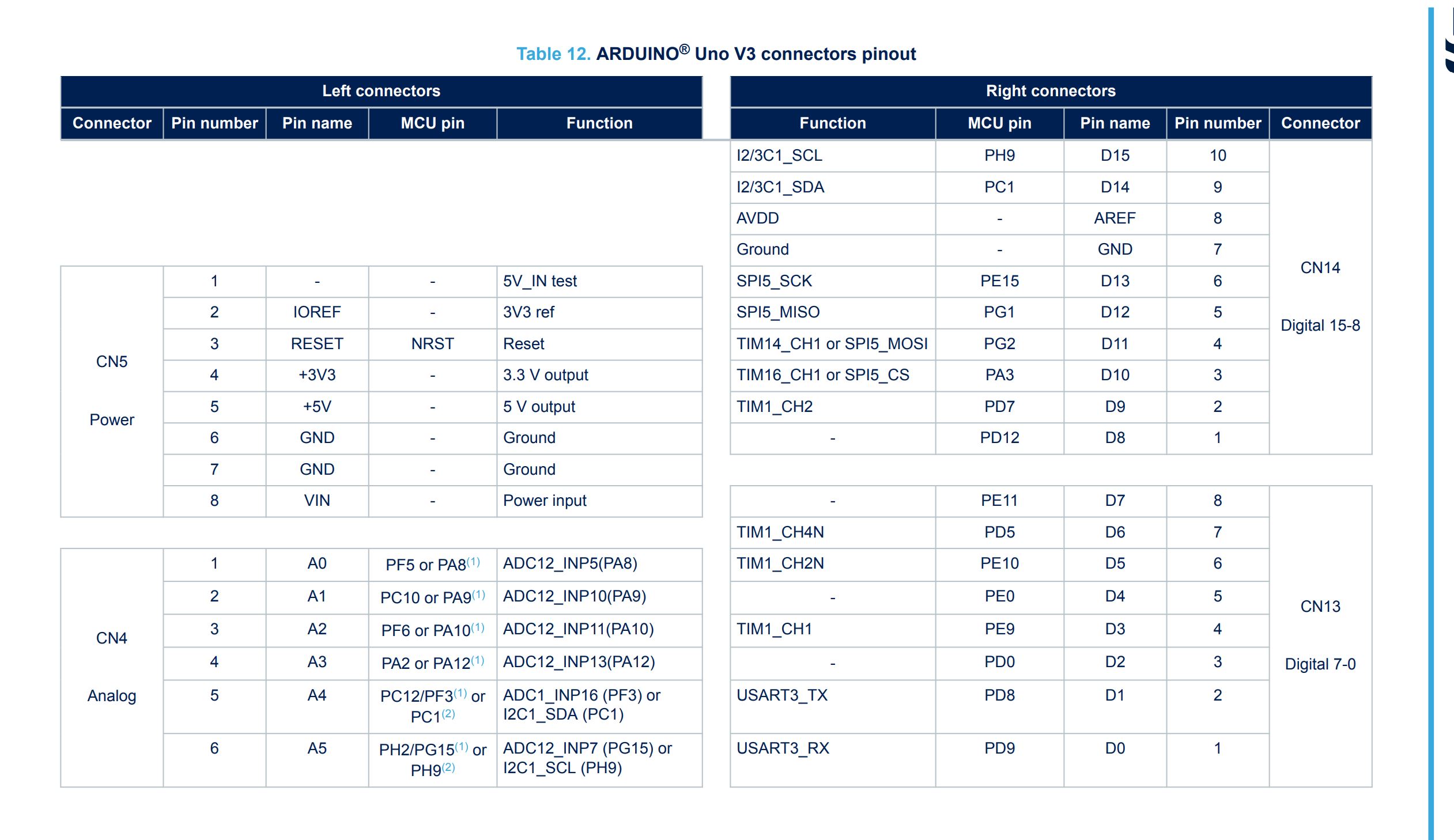
The board layout is completely different on the right. It’s in an array of circles around the chip, whereas the old interface was much easier to map to the physical board. The names of the pins also don’t directly map to the physical pins that I see on the nucleo board. I had to consult the user manual to figure out which MCU pins I needed to use.
Flashing the firmware
The flashing process was also much different. After I scrounged around for a USB C data cable, I thought I would just be able to click debug on some sample code and flash it to the board. Unfortunately, I wasted many hours before I came across this link.
Basically, we need to move the BOOT1 jumper to the second position to flash it. Then, we need to sign the firmware with the Cube Programmer tool, and move the jumper back to the first position to get it to boot from that firmware version.
This is a lot more stress than the first board I worked with.
There are also 3 different…areas for firmware? FSBL, Application Secure and Application Nonsecure. I’ve tried to keep it as simple as I can, but it still gives me some extra work to assign the pins etc. to the correct areas.
ThreadX
ST also is apparently pushing ThreadX instead of FreeRTOS like I am accustomed to. It’s not a huge change, because I’ve basically been using it as a thread scheduler, but it was one more thing to learn. FileX is apparently tightly integrated to it, so I used the default FileX thread to write to a quick test file.
VS Code Experimentation
I also took the chance to download the ST VS Code extension and try using VS Code as my primary IDE for development. The flashing process worked okay, but the issue was that the Intellisense engine and C interpreter didn’t know how to handle a lot of the default header files that are used in the CubeMX projects. I’m sure there are ways to get around this, but I wasn’t gaining much by moving to VS Code, so I figured I’d stick with STM32 Cube IDE for now.
Conclusion
Before I move on further, I want to start writing some unit tests. I have no idea how to do that yet, but it will be really important to start before the code gets too unwieldy.